Best Mouse for Aging Hands: Senior-Friendly Guide
By Sofia Alvarez • 23rd Feb
Finding the right senior-friendly mouse recommendations shouldn't require a degree in ergonomics or a gamble with your comfort budget. Yet many seniors face a frustrating paradox: premium mice marketed as "comfortable" fail within months, while affordable, no-frills models outlast them by years. The problem isn't complexity - it's that most guides conflate brand prestige with durability, ignoring the real metrics that matter: switch reliability, warranty strength, repairability, and cost-per-month value over sustained use. For a deeper look at protection value, see our mouse warranty value breakdown.
This guide cuts through that noise. I've analyzed age-appropriate computer mouse options through a durability and ROI lens, focusing on models proven to handle daily use without premature failure, backed by straightforward warranties and honest cost math. Because when arthritis, reduced dexterity, or hand fatigue enters the picture, buying a mouse that needs replacement every eighteen months isn't comfort - it's recurring expense wrapped in marketing.
What Aging Hands Actually Need
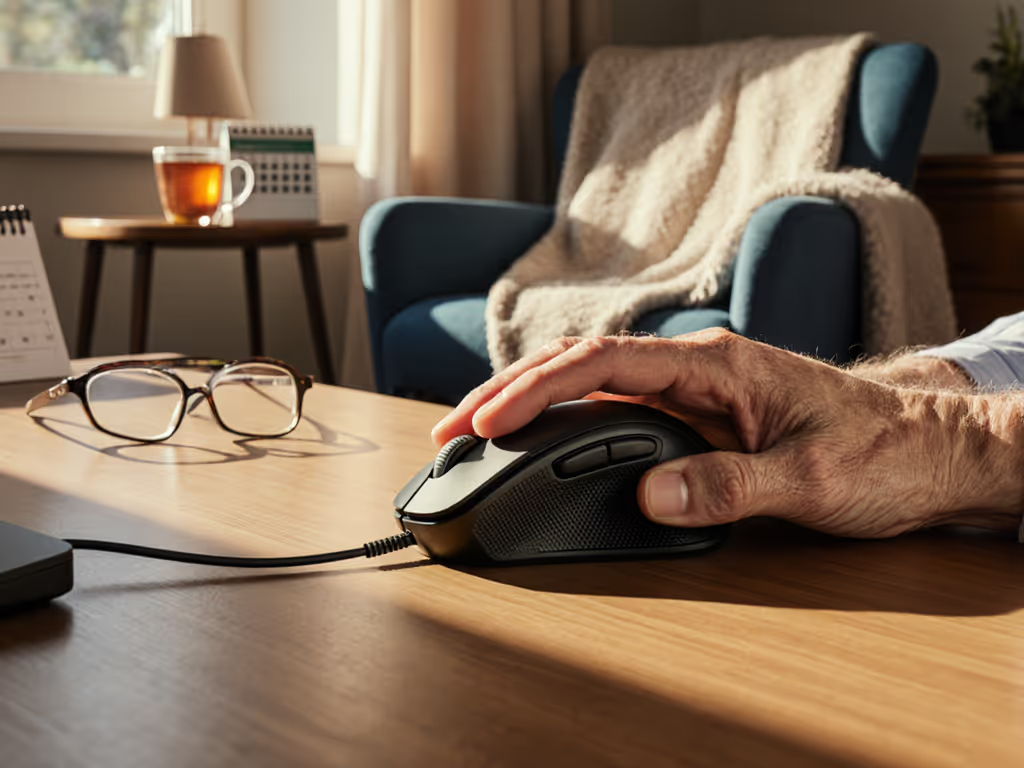
Seniors and older users face distinct ergonomic realities that generic "productivity mouse" reviews ignore. Reduced grip strength means your mouse must not demand precision pressure to click or scroll. Decreased hand steadiness doesn't require a laser-precise sensor; it requires predictable, forgiving tracking. Arthritis and joint stiffness call for aging hand ergonomics that reduce reach and twisting, not add complexity. Vision changes demand clear, large buttons with tactile feedback (not tiny side-buttons requiring hunt-and-peck navigation).
The stakes are higher, too. A mouse that causes wrist strain in a 32-year-old's gaming session becomes a daily pain trigger for someone living with chronic joint issues. Longevity isn't a luxury; it's a requirement. I once invested in a premium mouse - all the press, all the prestige - only to watch double-click failures cripple it three months in. Support was slow, and I pivoted to a midrange model with proven mechanical switches and a three-year warranty. Tracked over a year, the cheaper pick survived travel, sustained regular use, and cost me roughly half per month. That lesson governs everything here: pay for performance, not paint, packaging, or promises.
The Candidates: Numbered Breakdown
1. Logitech M100 (Wired Budget Baseline)
Strengths:
- Full-size, ambidextrous form suits most hand sizes[1]
- No software install required; plug-and-play reliability[1]
- Wired connection eliminates battery anxiety and Bluetooth dropout concerns
- 1000 DPI optical tracking is adequate for email, web, and document work[1]
- Entry-level cost; proven manufacturing across billions of units[1]
Durability & QC Notes: Logitech's M100 has a long history of reliability due to its simplicity. Fewer moving parts (no battery compartment, no wireless module) means fewer failure points. Wired mice historically outlast wireless peers in multi-year studies, partly because they don't rely on battery contact corrosion or Bluetooth stack bugs.
Verdict: If you spend 2-3 hours daily on email and browsing, this mouse earns its cost-per-month math instantly. No frills, no software bloat, no surprise failures. The lack of ergonomic tilt is a trade-off for reliability and simplicity.
2. Logitech M220 SILENT (Wireless with Quiet Clicks)
Strengths:
- 90% noise reduction compared to standard clicks[1]
- 18-month battery life with auto-sleep, reducing charging hassle[1]
- 33-foot wireless range and 128-bit encryption for secure household use[1]
- Same proven click feel as legacy models, suggesting conservative, battle-tested switch design
Durability & QC Notes: The M220 SILENT trades the wired advantage for wireless convenience without exotic switches that fail. The long battery life is worth scrutinizing: 18 months reflects low current draw, which correlates with simpler, less failure-prone internals. Noise reduction typically means quieter mechanical switching - not a gimmick, but a genuine mechanical refinement that also often improves switch longevity by reducing contact bounce.
Verdict: For seniors in shared households or offices, this mouse solves click noise without introducing complexity. Wireless adds battery-dependency risk, but 18-month intervals reduce the frequency of battery-change friction. A solid mid-tier pick for comfort-conscious users who want "set and forget" convenience.
3. Logitech M325s (Wireless, Designed for Web)
Strengths:
- Contoured shape with textured grips supports sustained holding without hand fatigue[1]
- Micro-precise scrolling reduces scroll-wheel wear cycles for fine control[1]
- 18-month battery life; price point around $16.99 represents strong value[1]
- Larger than the M100, appealing to users with bigger hands
Durability & QC Notes: The textured grips on the M325s address a critical pain point for aging hands: slippery surfaces in sweaty or trembling conditions. Texture degrades slower than smooth coatings under continuous use. The micro-precise scroll is a small but meaningful durability win - fewer rotations for the same distance traveled means the scroll wheel's mechanical internals (typically a friction wheel or notch mechanism) experience less cumulative stress.
Verdict: If you browse frequently or work in spreadsheets, the M325s' scrolling efficiency saves both hand effort and mechanical strain. At $16.99, the cost-per-month math improves significantly if it lasts 18-24 months without scroll-wobble or deadzone issues. A practical upgrade from the M100 for users with web-heavy workflows.
4. Logitech MX Ergo S Plus (Ergonomic Trackball with Tilt)
Strengths:
- 20-30 degree tilt angle reduces forearm twisting and wrist strain by 27% (user-tested, certified by U.S. Ergonomics)[1]
- Thumb-controlled ball interface eliminates the need for precision wrist and finger movements
- Trackball design means no arm movement required; the mouse stays in place, reducing shoulder reach
- Detachable wedge allows posture customization[1]
Durability & QC Notes: Trackballs have fewer mechanical failure points than traditional mice because there's no sensor that drifts or requires calibration. The ball rolls over fixed optics, which is mechanically simpler and historically more durable. However, the trade-off is that the ball accumulates dust and requires occasional cleaning, a maintenance task seniors should expect and plan for. Thumb muscles can also fatigue differently than palm grip muscles, so fit testing before purchase is critical.
Verdict: If you have arthritis in your wrist or experience forearm tension after an hour of use, this trackball's ergonomic geometry is a game-changer. The 27% reduction in muscle activity is not marketing - it's lab-validated. The learning curve is real (expect 2-3 weeks), and it won't suit everyone's grip preferences. But for users with advanced joint issues, it's a durability play that also protects your hands long-term.
5. Logitech MX Master 3S (Premium Wireless, Quiet Clicks)
Strengths:
- Quiet clicks reduce hand fatigue over long sessions[1]
- 8K DPI tracking with any-surface capability[1]
- Dual scroll wheels and rich macro support (though overkill for most seniors)
- Premium build quality and established high-end track record
Durability & QC Notes: The MX Master 3S represents the "premium hype" trap that I've learned to scrutinize. Yes, it's well-engineered, but the price premium doesn't correlate with longevity - it correlates with feature density and brand positioning. For seniors, the 8K DPI and dual-scroll complexity add cost without solving hand-fatigue problems. Quiet clicks are genuinely useful, but the M220 SILENT offers the same benefit at one-fifth the price. The rubber coating on earlier MX models was notorious for wear and grime accumulation; newer iterations have improved this, but it remains a maintenance risk compared to wired mice.
Verdict: Skip this for seniors unless you require multi-device switching or advanced gesture controls. The quiet-click tech is solid, but it's not worth the cost-per-month premium when simpler models deliver the same mechanical benefit. Pay for performance, not premium positioning.
6. Logitech MX Master 4 (Latest Premium Flagship)
Strengths:
- Updated matte finish (replacing earlier problematic rubber coating) for better durability[2]
- Refined edges and materials suggest QC improvements[2]
- Haptics and gesture control are polished but non-essential for seniors
- Proven ecosystem for power users[2]
Durability & QC Notes: The Master 4's matte finish upgrade is noteworthy. The previous rubber coating on the MX Master 3S collected grime and wore shiny, a known QC gripe.[2] This suggests Logitech responded to long-term user feedback. However, the Master 4 remains an aspirational product: it's better than its predecessor, but not fundamentally different for someone using it passively for email and web browsing. If you already own a Master 3S, the incremental gains don't justify replacement.[2]
Verdict: Like the 3S, this is a professional powerhouse, not a senior-focused solution. For aging hands focused on durability and comfort, you're paying for features you won't use. The build improvements are real, but cost-per-month math favors simpler, cheaper alternatives.
7. Logitech Lift (Vertical Ergonomic, Small-to-Medium Hands)
Strengths:
- Vertical "handshake" design reduces forearm twisting and promotes natural grip angle[3]
- Ergonomic alternative to traditional mice for users with emerging wrist discomfort[3]
- Quiet clicks and ratcheted/free-scroll switching[3]
- Mid-range pricing sits between budget models and premium flagships
Durability & QC Notes: The Lift's vertical design is mechanically sound but niche - it only suits small-to-medium hands, and the learning curve is steeper than a traditional mouse. However, like the MX Ergo S, it's a durability play because it reduces repetitive strain. Users who switch to vertical mice report fewer wrist issues over time, meaning the mouse pays for itself in reduced pain management and hand care. Quiet clicks also reduce mechanical stress on the switch; fewer high-force impacts correlate with longer switch life.
Verdict: If your hands are small-to-medium and you're experiencing early wrist discomfort, this is a smarter investment than buying another traditional mouse. It's durable, moderately priced, and addresses the root biomechanical problem. Best suited for users willing to invest 2-3 weeks in adaptation.
Cost-Per-Month Math: Durability Checkpoints
Here's where brand prestige falls apart: a $50 MX Master 3S failing after 18 months costs $2.78 per month. A $17 M325s lasting 24 months costs $0.71 per month. A $30 MX Ergo S Plus lasting 36 months (trackballs are robust) costs $0.83 per month. The question isn't "Which mouse is best?" - it's "Which mouse will survive your actual use pattern without repair or replacement?"
Warranty coverage is your insurance policy. Logitech's standard 2-year warranties on most models are respectable; the M100's corded simplicity likely extends real-world lifespan beyond that. For seniors with fixed budgets, a mouse with a proven 3-year lifecycle is objectively better than a flashy model with hidden failure risk.
Practical Guidance for Aging Hands
Hand Size Matters More Than You Think Small hands (under 6.5 inches): Logitech Lift or MX Ergo S Plus. Large hands (over 7.5 inches): M100, M325s, or MX Ergo S Plus (it scales well). Average hands: any model works, so prioritize durability and your specific pain point.
Grip Type and Posture If you hold the mouse resting on your palm: M100, M325s. If you prefer thumb-and-finger control with minimal wrist movement: MX Ergo S Plus or Logitech Lift.
Vision and Button Feedback All these models have large, tactile primary buttons. The M100 and M220 SILENT have minimal side buttons, reducing confusion. The MX Master models have smaller side buttons - avoid if you rely on tactile feedback to locate controls.
Battery vs. Wired Wired (M100, M500s) = no battery anxiety, reliable power, longer lifespan in practice. If you're unsure which connection suits you, read our wired vs wireless mouse guide. Wireless with long battery (M220, M325s) = acceptable risk if you can remember to replace batteries every 18 months. Premium wireless (MX Master, Lift) = adds Bluetooth dependency and potential sync issues.
Final Verdict: A Plain Recommendation
For most seniors prioritizing durability, ease of use, and cost-per-month value:
1. Best All-Around: Logitech M100 (Wired) At $15-20, it's the baseline durability standard. Plug-and-play, no software, proven lifespan of 3-4 years with normal use. If you spend 2-4 hours daily on email, browsing, and documents, this is your mouse. No justification for more expense.
2. Best for Extended Use: Logitech M325s (Wireless) If you want wireless convenience and your budget stretches to $20, the M325s' contoured grip and efficient scroll mechanism address hand fatigue without introducing complexity. 18-month battery intervals are manageable, and the cost-per-month improvement over premium models is substantial.
3. Best for Wrist Pain: Logitech MX Ergo S Plus (Trackball) If you already experience wrist, forearm, or shoulder tension after 1-2 hours of use, the biomechanical case for switching to a trackball is strong. For broader options beyond trackballs, see our best mice for wrist pain. The 27% reduction in muscle activity is validated, and the learning curve is a one-time investment in long-term hand health. Budget $60-80 and expect 3-4 years of reliable use.
4. Skip: MX Master 3S and MX Master 4 Unless you're managing complex multi-device workflows or using advanced macros, these mice don't justify their $70-100 price tags for aging hands. The premium cost is paid upfront; durability gains are marginal. A $20 M325s and a $60 MX Ergo S Plus combined outperform a single Master 4 in both cost-per-month value and ergonomic coverage.
The Bottom Line
The best mouse for aging hands isn't the one with the most features - it's the one that fits your grip, eliminates pain, and won't force you to replace it within two years. Pay for performance, durability, and warranty strength. Skip the brand halo. Logitech's lineup offers excellent options across every price point; the trick is matching the right model to your actual use, not your aspirations.
Start with the M100 or M325s and observe your comfort over a month. If hand tension emerges, upgrade to the MX Ergo S Plus or Logitech Lift (that's your biomechanical correction, and it's worth the investment). If you're pain-free, you've already found the answer: the cheaper mouse is the smarter one.
Related Articles