Data Analytics Mice: Programmable Buttons Ranked
By Sofia Alvarez • 2nd May

When you're running a data analytics mouse comparison between contenders for your workflow, the stakes feel higher than they should. You're not chasing gaming reflexes or mechanical switch aesthetics, you're hunting a workhorse that maps your repetitive tasks into finger-memory, survives eight-hour spreadsheet marathons without cramping your hand, and does it without asking you to choose between form and function. An advanced programmable mouse built for analytics isn't just a peripheral; it's a time-recovery tool, and choosing wrong costs you weeks of wasted effort.
I learned this the hard way. Years back, I invested in a premium mouse with stunning reviews and a minimalist shape. Three months in, double-click ghosting set in. Support dragged. I returned it and pivoted to a midrange model with bulletproof side-button engineering, a straightforward warranty, and no proprietary nonsense. I tracked costs over a year: the cheaper pick survived conference travel, survived coffee spills, and my cost-per-month math landed at less than half the premium option's monthly burn. For a deeper breakdown of coverage and value over time, see our mouse warranty value analysis. That lesson stuck: your data analytics toolkit should reward durability and proven QC, not brand prestige. Pay for performance, not paint.
For data professionals juggling pivot tables, Power BI dashboards, and Tableau workflows, a programmable mouse isn't luxury, it's leverage. This ranking cuts through the noise and speaks to your actual workflow pain.
1. Ergonomic Palm-Grip Mice with 2-4 Side Buttons
Best for: 8+ hour daily use in spreadsheet-heavy workflows; users prone to wrist fatigue.
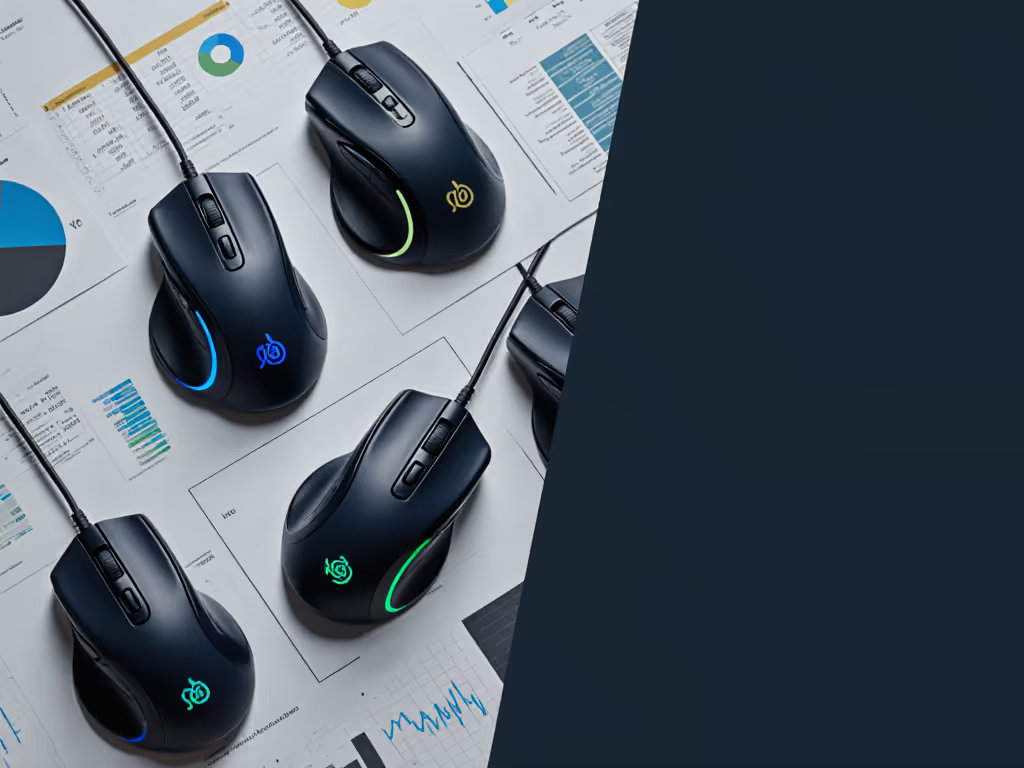
These are the foundation tier. A contoured palm-grip design with a ratchet scroll wheel and 2-4 well-placed side buttons lets you nail repetitive tasks without reaching or twisting. The key QC checkpoint: scroll wheel wobble. Cheap mechanisms fail within 18 months; mid-range and above units use tensioned detents that survive 100,000+ wheel clicks without rattling.
Warranty math matters here. Look for 2-year minimum coverage on switches and scroll mechanism. Any manufacturer offering only 12 months on a daily-driver mouse is signaling they expect failure and are hoping you're past return windows when it hits. Side buttons should feature optical or magnetic actuation (proven reliability with zero contact bounce or debounce mystery).
Power BI mouse integration favors this category hard. Navigation between filters, data panes, and report views is button-heavy; a solid 4-button setup lets you map back/forward, drill-down, and scroll-snipe without menu diving. Your workflow compresses from five clicks to two.
Verdict: This tier costs $35-$60 and yields 2-3 years of daily use if QC holds. Cost-per-month math: roughly $1-$2 per month. Non-negotiable baseline.
2. Split or Vertical Ergonomic Designs with Programmable Thumb Cluster
Best for: Users with existing wrist soreness, forearm tension, or RSI prevention focus; analysts who refuse to compromise on long-term joint health.
These sacrifice traditional symmetry for neutral wrist posture. To compare models and fit, check our vertical mouse comparison. A vertical or split design rotates the hand into a handshake angle, reducing pronation stress that builds over hours. The trade-off is real: a learning curve, a wider footprint on your desk, and potential sticker shock. But if your workflow survives the adjustment period, the ergonomic payoff is measurable, less daily pain, faster recovery between sessions.
The programmable thumb cluster (typically 3-6 buttons) becomes your analytics hotspot. Macro mapping here compresses multi-step Power BI pivot sequences into single thumb taps. One analyst reported reducing filter-switching time by 40% after mapping drill-down sequences to chord combinations.
QC vigilance is non-negotiable. Thumb button reliability is the whole value prop; any mushy actuation or double-register behavior tanks it entirely. Check whether buttons are removable and whether replacement switches are documented and in-stock on the manufacturer's site. Fragility here is deal-breaking.
Tableau workflow mouse optimization shines here. Navigation, drill-down, and filter cycling (all thumb-mapped instead of menu-hunted) cuts context switching fatigue dramatically. Your attention stays on the data.
Warranty red flag: Skip any model with proprietary button internals or vague replacement language. You want standard Cherry or Omron switches, or at least documented alternatives available within the warranty period.
Verdict: $50-$90 range, 2-year warranty standard. Monthly cost $2-$3.50 if the learning curve sticks. If you return it early, sunk cost is significant. Try to test in-store or borrow before committing to this tier.
3. Lightweight Programmable Mice with Adjustable DPI and LOD
Best for: Spreadsheet-to-presentation workflows; users who zoom in/out frequently; CAD-adjacent analytics and layout-driven report design.
These borrow gaming-tier sensor stability without the gaming aesthetic. Adjustable DPI (dots-per-inch) lets you dial sensitivity down for pixel-precise selections in Excel, Power BI, or design tools, then ramp it back up for dashboard navigation. Onboard memory stores profiles, meaning no software bloat or account lock-in required.
Excel analytics mouse scenarios benefit hard here. Swapping between macro zoom and cell-level precision becomes one button hold instead of menu navigation. A solid ratchet scroll is mandatory; wobbly or slow scrolls tank spreadsheet work fast.
Programmable buttons (4-6 typically) map to clipboard cycling, undo/redo, custom analytics shortcuts, or presentation advancing. Software stability is paramount; driver bloat, updates that break macros, or account requirements are deal-breakers. Opt for units with offline-capable macro storage or simple button remapping that doesn't require cloud sync.
Cost-per-month math: The key QC checkpoint is sensor consistency over time. Look for 400+ IPS tracking accuracy and stable polling rate (1000 Hz minimum for precision spreadsheet work; 4000-8000 Hz if you mix spreadsheet editing with presentation clicking). Any drift or jitter appearing after 12 months signals a bad batch.
Verdict: $40-$75, 2-year warranty standard. Monthly cost $1.75-$3.10. Skip proprietary dongles unless performance is independently verified; standard 2.4 GHz wireless is reliable enough for office use.
4. Heavy-Duty Wired Mice with Full-Button Remapping
Best for: Multi-hour analytics sessions; offices with unreliable WiFi; users skeptical of wireless reliability and battery anxiety.
Wired mice eliminate battery surprises and Bluetooth lag entirely. It is proven engineering with 6-8 year lifespans documented. Plug-and-play setup across Windows, Mac, and Linux; no calibration rituals. Modern wired designs weigh 85-110 g, shedding the cable-drag stigma of older era mice.
Full button remapping is the edge. 6-8 programmable buttons let you build a custom analytics command center. Power BI mouse integration via button macros becomes turnkey: spreadsheet shortcuts, pivot-table cycling, report filtering, drill-down sequences (all mapped to muscle memory). Your workflow becomes tactile and instant.
QC benchmark: Click latency < 10 ms; scroll response instant. Any lag, debounce weirdness, or dropped clicks is disqualifying. Scroll wheel should offer ratchet-and-free-wheel hybrid (hold for precision step, flick for momentum skimming). Feet should be PTFE (Teflon), not glossy plastic that glazes over months.
Data visualization button mapping reaches peak efficiency here. A single mouse click executes a multi-step workflow: open filter menu → select category → apply to chart → refresh dashboard. One click, six actions. The payoff compounds over months, hours reclaimed.
Warranty sweet spot: 3-year minimum; anything less signals corner-cutting. Replaceable feet and switches should be documented in the manual and actually in-stock on the manufacturer's support page. Check before buying.
Verdict: $30-$55, longest realistic lifespan (6-8 years). Monthly cost $0.50-$0.80. Highest cost-per-month value if QC holds. No battery surprises, dead simple, and proven durable. The workhorse tier.
5. Multi-Device Programmable Mice with Gesture and Scroll Modes
Best for: Hybrid setups (laptop + desktop); remote workers; analysts splitting time between data prep and presentation delivery.
These pair via Bluetooth to 2-3 devices simultaneously, toggling with a button press. For device hoppers, see our multi-device mouse comparison for switching speed and workflow tests. Modern SoCs handle fast switching cleanly (< 100 ms wake and reconnect). Side-button mapping differs per device: your Power BI shortcuts live on the desktop profile, your presentation remote macros on the laptop profile. One mouse, infinite workflow.
The scroll-wheel wildcard is underrated. Tableau workflow mouse scenarios benefit from infinite scroll mode (momentum for long dashboards, ratchet for precise steps). Some units offer tilt-scroll for horizontal navigation, a spreadsheet superpower that cuts left-right navigation time in half. If your reports are wide, this matters.
QC checkpoint: Bluetooth stability under interference is critical. Offices pack WiFi, Bluetooth headsets, and wireless keyboards. Look for verified 2.4 GHz resilience and published connection latency specs. Anything > 10 ms jitter under load is a red flag.
Software is the liability. Avoid account-gated macro storage; insist on cloud backup options or fully onboard storage. Privacy policies matter: any tracking, telemetry, or phone-home on login is disqualifying for finance/analytics use.
Warranty fine print: Bluetooth modules fail; confirm coverage on wireless hardware, not just mechanical wear. A dead BT module after 18 months on an $80 mouse is a loss if not covered.
Verdict: $55-$100, 2-year warranty. Monthly cost $2.30-$4.15. Higher monthly cost, but time savings from device-switching compression can offset it if you actually switch daily. Return friction is higher; try to test first.
6. Niche Ergonomic + Programmable Hybrids (Vertical Grip + Thumb Macro Bar)
Best for: Power users with both RSI concerns and heavy macro use; analysts wanting one mouse to rule all workflows; teams with standardized, complex analytics tasks.
These combine a vertical grip angle with a dedicated macro bar (5-12 buttons in a configurable grid, usually thumb-mounted or side-placed). It's specialized, expensive, but purpose-built for your exact workflow. Not for casual use.
QC here is non-negotiable. Macro bar reliability is everything; a dead button in your custom setup is worse than useless; it breaks your muscle memory. Look for individually spring-mounted buttons, published failure rates, and documented easy replacement. Any cheap plastic or loose tolerances are automatic rejects.
Warranty should reflect the complexity: 3+ years standard. Software must be open, allowing full remapping with no account lock-in and offline storage. Proprietary software is a liability.
Tableau workflow mouse and Power BI mouse integration both hit peak efficiency in this tier. Drill-down sequences, filter cycling, cross-dashboard navigation, conditional highlighting (all mapped to thumb chords). Your hands never leave the mouse.
Verdict: $85-$150+, 3-year warranty, specialized use case. Monthly cost $2.35-$4.15 over 3 years. Highest risk of buyer's remorse if workflows shift or you overestimate macro use. QC variance is the liability, research batch feedback and user reports before committing.
--
Summary and Final Verdict
Your data analytics mouse comparison hinges on one principle: pay for performance, not paint, packaging, or promises. The real wins aren't RGB lighting, limited editions, or sleek industrial design. They're from QC-aware designs that survive your actual workflow and map your repetitive tasks into one-click shortcuts.
For most analysts: Start with Tier 1 (ergonomic palm-grip + ratchet scroll) and pair it with Tier 4 (wired, full remapping). Combined cost under $100, combined lifespan 5-6 years, combined monthly cost $1.50-$2. Both ship with solid 2-3 year warranties and zero software friction. These are proven bets. Scroll wheel wobble, side button reliability, and PTFE feet are your QC watchpoints.
For RSI-prone or multi-device users: Add Tier 2 (vertical ergonomic) or Tier 5 (multi-device programmable) if budget allows. The ergonomic upgrade pays in less pain and better recovery. The multi-device upgrade pays in time savings and reduced cognitive load. Neither is mandatory, but both have clear ROI if your workflow genuinely matches.
Skip Tier 6 unless your macro bar maps to a real daily workflow. Specialized gear courts buyer's remorse. If you haven't used a 12-button macro input before, rent the learning curve or borrow one before committing.
Final QC vigilance checkpoint: Read warranty fine print. Confirm ratchet scroll stability, low-latency side buttons, and PTFE feet as non-negotiable baseline. If a mouse is under $30, ships with plastic feet, or includes only a 12-month warranty, it's a placeholder, not an investment. You'll replace it in 18 months and crater your cost-per-month math.
Don't chase this year's unknown QC. A two-year-old design with proven batches, documented durability, and a stable warranty history beats a shiny new model every time. Your per-month math will thank you, and so will your wrist.
Related Articles