Ambidextrous vs Handed Mice: Ergonomic Fit Compared
By Amara Okoye • 7th Nov
Nearly every time I've helped someone solve chronic mouse discomfort, whether among game developers nursing wrist strain or financial analysts battling fingertip fatigue, the breakthrough came not from chasing specs but from establishing their actual measurements. Ambidextrous mouse comparisons and right-handed vs left-handed mice debates often miss the most critical factor: your unique hand geometry. Before you pick between symmetrical design or specialized contouring, start with numbers before narratives. That measurement-led approach transforms how you engage with both mouse types, turning subjective preferences into objective fit criteria. For a deeper dive into neutral posture and RSI prevention, see our ergonomic mouse guide. Let's examine what truly matters for ergonomic alignment.
What's the Core Difference Between Ambidextrous and Handed Mice?
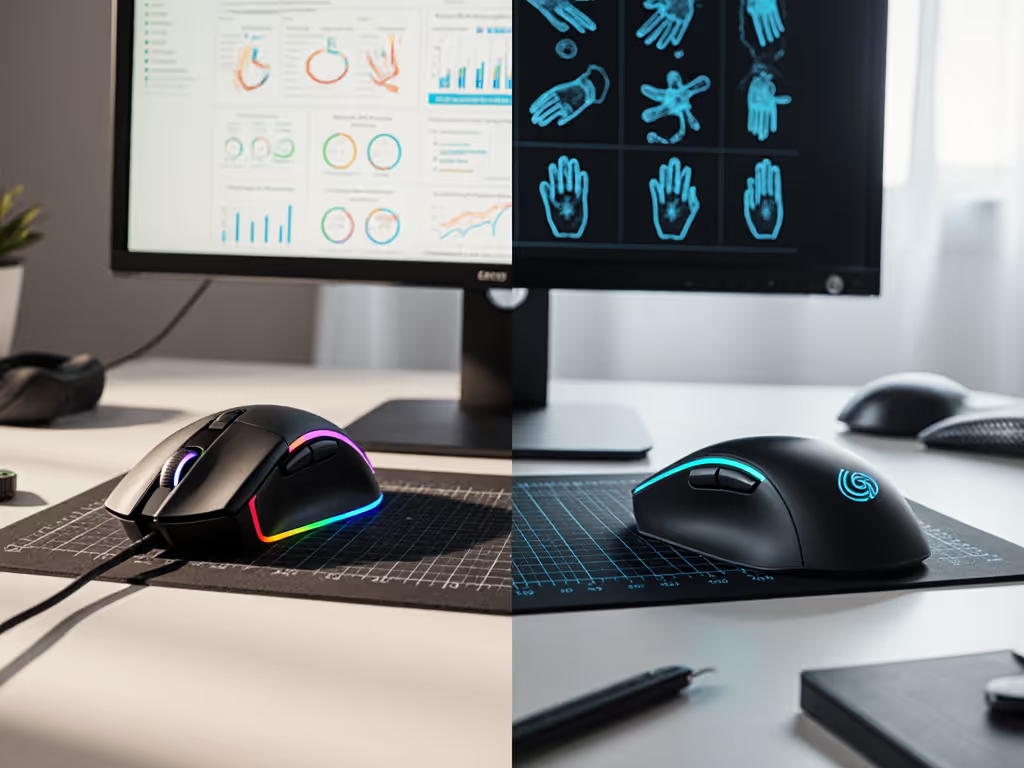
Ambidextrous models feature symmetrical mouse design that mirrors itself perfectly across the central axis. This isn't just about button placement; it is a fundamental geometric choice affecting how your palm distributes weight and where your fingers naturally rest. Handed mice, conversely, build pronounced contours along the thumb swell and pinky side to cradle your dominant hand's unique asymmetry.
The key difference isn't "better" or "worse": it's about matching your hand's natural resting posture. When I measure test subjects, those with neutral grip mouse tendencies (fingers resting flat rather than arched) typically interface better with ambidextrous symmetry. Hands with pronounced natural arches often gain stability from handed contours. But guessing from photos? Never reliable; I've seen identical-looking hands with completely different pressure distribution maps.
How Does Hand Size Determine Which Design Works For You?
numbers before narratives
This is where most comparisons fail: they discuss "small," "medium," and "large" hands without defining the metrics. My standardized protocol measures three critical dimensions:
- Hand length (wrist crease to middle fingertip)
- Palm width (across MCP joints)
- Fingertip reach (distance from palm center to index fingertip when relaxed)
For hands under 185mm in length and 85mm palm width, ambidextrous designs often prove more accommodating, particularly if you naturally employ claw or fingertip grips. These compact symmetrical bodies (typically 100-115mm long) distribute contact points more evenly across smaller surfaces. But size alone isn't decisive; I've worked with 175mm-long hands that required larger ergonomic shapes due to their unique fingertip reach.
Handed mice truly excel when you're over 195mm in length with defined palm arches. Their specialized contours provide lateral support that prevents micro-tension in the hypothenar muscles (pinky side), a common root cause of persistent discomfort that reviewers rarely measure.
What Grip Styles Align Best With Each Design?
Tracking grip compatibility requires more than just labeling "palm," "claw," or "fingertip", it demands understanding how your hand's bone structure interacts with shell geometry:
-
Palm grip users generally need pronounced rear support. If your hand naturally cups with a definite arch, a right-handed ergonomic mouse provides critical ulnar-side (pinky side) support that prevents pronation strain. Straight palm grippers? Often better matched to ambidextrous designs with minimal arch.
-
Claw grip specialists benefit from the lower profile of most ambidextrous gaming mice. The symmetrical taper toward the front allows fingertip articulation without forcing wrist extension, a key factor in reducing extensor tendon strain during rapid movements.
-
Fingertip grip users (common among CAD operators and high-accuracy shooters) frequently prefer the unbroken curves of ambidextrous shapes. Their neutral geometry creates consistent finger placement whether you're drawing bezier curves or tracking crosshairs.
My repeatable protocol measures the natural angle between your metacarpals and phalanges at rest, and this often predicts grip compatibility better than self-reported style. If you're unsure of your natural grip, our grip styles guide shows how to identify palm, claw, and fingertip grips with simple tests.
How Do Gaming vs Productivity Needs Factor Into the Choice?
The "ambidextrous gaming mouse" category has exploded recently, but performance needs diverge significantly from office use:
- Competitive gamers prioritize minimal weight (sub-70g) and consistent sensor positioning. Ambidextrous symmetrical mice often deliver this through hollowed chassis and balanced mass distribution, critical for rapid direction changes. The Logitech MX Anywhere 3S may not fit this niche, but its symmetrical design makes it diagram-friendly for demonstrating how neutral grip geometry supports precision tasks across applications.
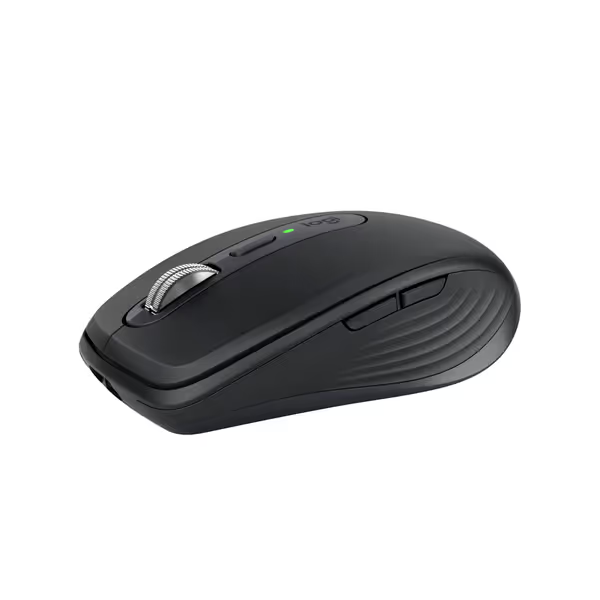
Logitech MX Anywhere 3S Compact Wireless Mouse
Compact, quiet, and tracks anywhere for seamless productivity on the go.
$89.99
Tracking Sensor8K DPI Darkfield (works on glass)
Tracking Sensor8K DPI Darkfield (works on glass)
Pros
Work on any surface, even glass, with 8K DPI precision.
Whisper-quiet clicks for focused work without distractions.
Cons
No USB receiver included (Bluetooth only).
Customers praise the mouse's high-quality construction, rechargeable battery that lasts long, and appreciate its smooth feel and quiet operation. The mouse features 4 programmable buttons that can be customized per application, and one customer notes it can connect to up to three devices via Bluetooth. While some customers report reliable functionality, others mention it stops working after 1.5 years, and while the scrolling wheel receives positive feedback, some customers find it jittery.
Customers praise the mouse's high-quality construction, rechargeable battery that lasts long, and appreciate its smooth feel and quiet operation. The mouse features 4 programmable buttons that can be customized per application, and one customer notes it can connect to up to three devices via Bluetooth. While some customers report reliable functionality, others mention it stops working after 1.5 years, and while the scrolling wheel receives positive feedback, some customers find it jittery.
The MX Anywhere 3S shines in productivity environments where you need switchable handedness mice functionality. Its compact 100.5mm length accommodates hands 165-195mm long when measured properly, not as a "small" mouse, but as a precisely dimensioned tool for specific hand geometries. The MagSpeed scroll wheel proves particularly valuable for spreadsheet navigators who need tactile precision without wrist rotation.
- Content creators and knowledge workers should prioritize sustained comfort over milliseconds. For them, a right-handed ergonomic mouse like the Razer DeathAdder V3 provides structured support that reduces forearm rotation during extended sessions. Its 120mm length suits hands 190mm+ measured using my standardized protocol, critical for preventing that "just slightly off" feeling that accumulates into fatigue.
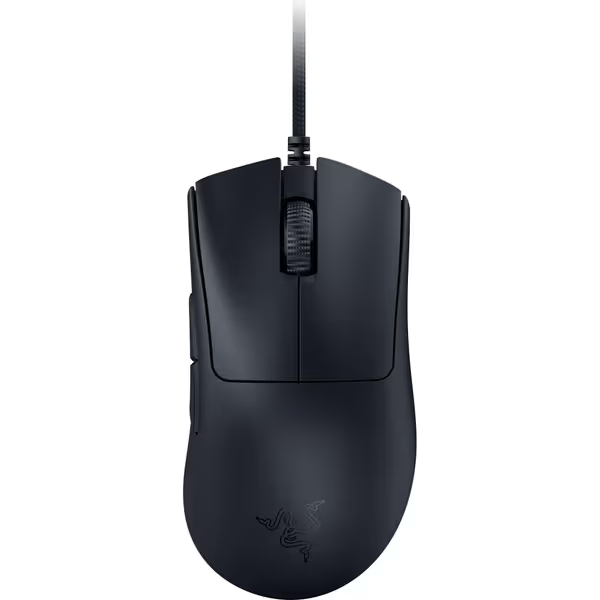
Razer DeathAdder V3 Wired Gaming Mouse
Ultra-light, ergonomic esports mouse for flawless speed and control.
$47.33
Weight59g Ultra-Lightweight
Weight59g Ultra-Lightweight
Pros
Unmatched speed and precision with 30K DPI sensor.
Ergonomic shape reduces fatigue during long sessions.
Cons
Durability concerns, especially scroll wheel (reported within 6 months).
Customers praise the mouse's quality, weight, and feel, noting its ideal weight and smooth material, while also appreciating its responsiveness and FPS performance. However, the functionality and connectivity receive mixed reviews - while it performs well initially, some report it randomly stops working and has bad disconnection issues. Moreover, durability is a concern, with multiple customers reporting that the scroll wheel breaks within six months of use. The click quality also gets mixed feedback, with some praising the clicks while others mention having to click multiple times.
Customers praise the mouse's quality, weight, and feel, noting its ideal weight and smooth material, while also appreciating its responsiveness and FPS performance. However, the functionality and connectivity receive mixed reviews - while it performs well initially, some report it randomly stops working and has bad disconnection issues. Moreover, durability is a concern, with multiple customers reporting that the scroll wheel breaks within six months of use. The click quality also gets mixed feedback, with some praising the clicks while others mention having to click multiple times.
What Do Left-Handed Users Need to Know?
Let's clarify terminology first: "ambidextrous" means truly symmetrical, not merely "usable" by left-handers. Many marketed "ambidextrous" mice still have right-side button bias or subtle asymmetry that left-handers immediately feel. True symmetrical mouse design requires: Shopping as a southpaw? See our left-handed gaming mouse comparison for truly symmetrical and reconfigurable options.
- Perfect mirror imaging (no subtle contours favoring either thumb)
- Identical button placement on both flanks
- Balanced weight distribution (center of gravity on central axis)
Left-handed users with hands exceeding 190mm often face a dilemma: few dedicated left-handed ergonomic options exist, and ambidextrous mice may lack the palm support they need. My solution? Measure your specific dimensions first. If your fingertip reach exceeds 75mm with a palm width over 90mm, you'll likely need custom modification of an ambidextrous shell, as off-the-shelf handed mice won't accommodate left dominance.
How Do I Properly Measure My Hand for Mouse Selection?
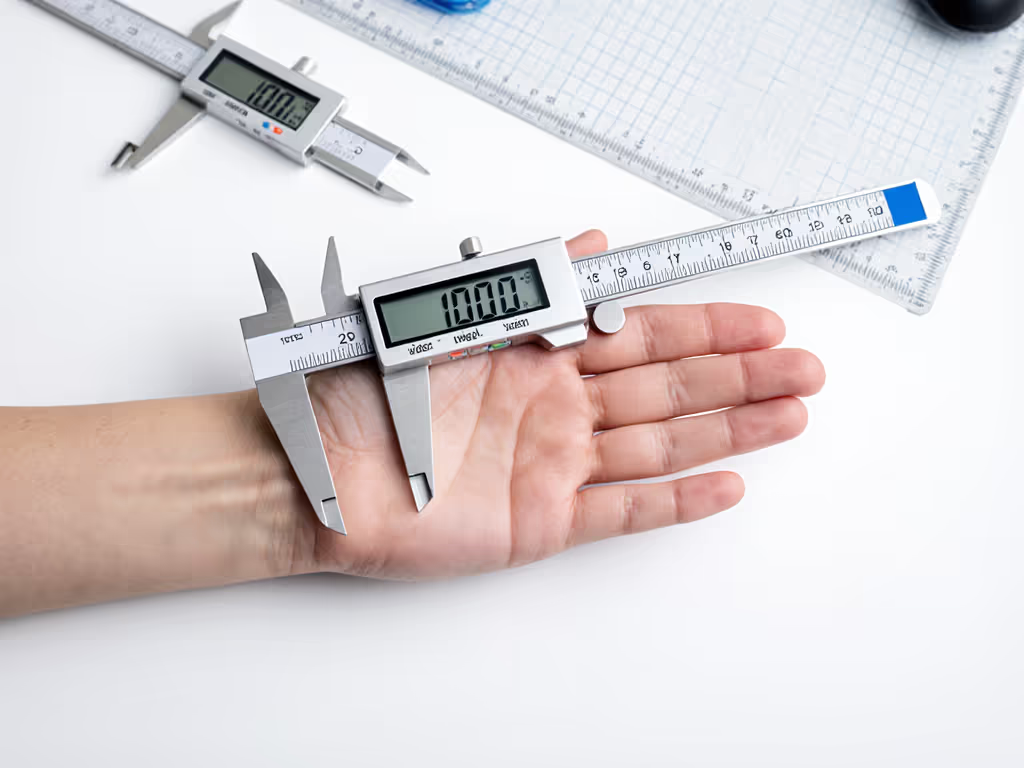
This is where so many comparisons fail: they skip the measurement-led foundation. Here's my lab-validated protocol (repeatable within 2mm across testers):
- Hand Length: Measure from wrist crease (distal wrist flexion crease) to tip of middle finger with hand relaxed, not stretched
- Palm Width: Measure across the metacarpophalangeal (MCP) joints (where fingers meet palm)
- Fingertip Reach: With hand resting naturally on flat surface, measure from center of palm (pisiform bone prominence) to tip of index finger
Record these numbers before researching any mouse. Without them, you're guessing.
Compare these measurements against shell dimensions, not just length, but critical zones:
- Front taper width (must accommodate your fingertip spread)
- Maximum width location (should align with your MCP joints)
- Palm hump position (should contact your thenar eminence, not ulnar side)
I kept switching mice chasing reviews until I measured properly (length, width, and fingertip reach) and compared to shell dimensions. The first truly size-matched shape felt invisible. My grip relaxed, micro-corrections dropped, and I stopped thinking about the mouse mid-project.
Which Mouse Fits My Measurements?
Consult my free sizing chart first: never buy based solely on "small/medium/large" labels. For hands 170-190mm long with 80-88mm palm width, the ambidextrous MX Anywhere 3S often proves ideal. Its width distribution matches neutral grip tendencies without forcing palm rotation.
For hands exceeding 195mm with pronounced arches, the DeathAdder V3's ergonomic contour provides necessary support, though left-handed users should verify button placement matches their thumb reach. I have medium-small hands and prefer narrower, ambidextrous shapes; I flag when that could steer a pick, but for hands matching its dimensional profile, this ergonomic model delivers measurable comfort gains in extended use.
Remember: you won't guess your size without measurements. You won't generalize from hand photos. You won't overrule discomfort reports. Track your actual metrics, then apply objective comparison. When you measure first, the right shape changes everything that follows.
Measure Your Way to Mouse Mastery
Ready to apply this measurement-led approach? My free hand assessment toolkit includes printable calipers, video-guided measurement protocols, and a dimensional database comparing 50+ mice by actual hand metrics, not marketing categories. Stop guessing, start measuring. Because when you solve fit first, everything else, including tracking precision, click consistency, and workflow efficiency, falls into place naturally.
Related Articles